
Painting of the Day widget
Each morning a new painting hangs in the widget, hidden in fog. Every minute of focus clears a little more, from the centre outward. Reach your daily goal and it’s fully revealed, with its title and artist.
Set the goal in Settings → Your daily ritual → Focus each day: 15 to 120 minutes, 25 by default.
Adding a widget
- Touch and hold an empty area of your Home Screen until the apps jiggle.
- Tap Edit (or +) at the top, then Add Widget.
- Search for Easel, choose Painting of the Day or Focus & Streak, pick a size and tap Add Widget.
Both widgets also come in Lock Screen sizes (customise your Lock Screen and tap the widget area), and the small size works in StandBy.
Live Activity and Dynamic Island
When a session starts, Easel shows its countdown on the Lock Screen and, on iPhones that have one, in the Dynamic Island, with your intention and a softly blurred hint of the painting. When the session ends it shows the painting revealed.
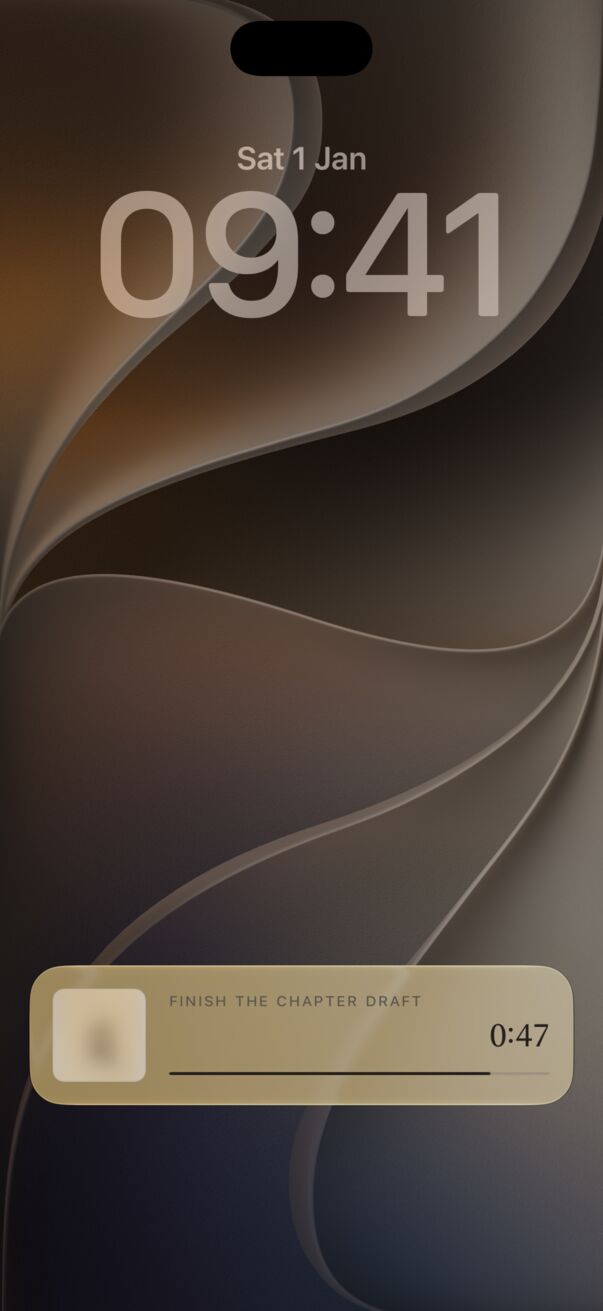
Not seeing it? In the iPhone Settings app, open Apps → Easel and make sure Live Activities is on.
Siri and Shortcuts
Say “Start a focus session in Easel”, “Start focusing with Easel” or “Reveal a painting in Easel”. In the Shortcuts app, the Start Focus action can set a length from 5 to 120 minutes, handy for automations.
Control Center (iOS 18 and later)
Open Control Center, tap +, then Add a Control, and search for Easel. One tap opens Easel and begins with your current choice.