
The home screen
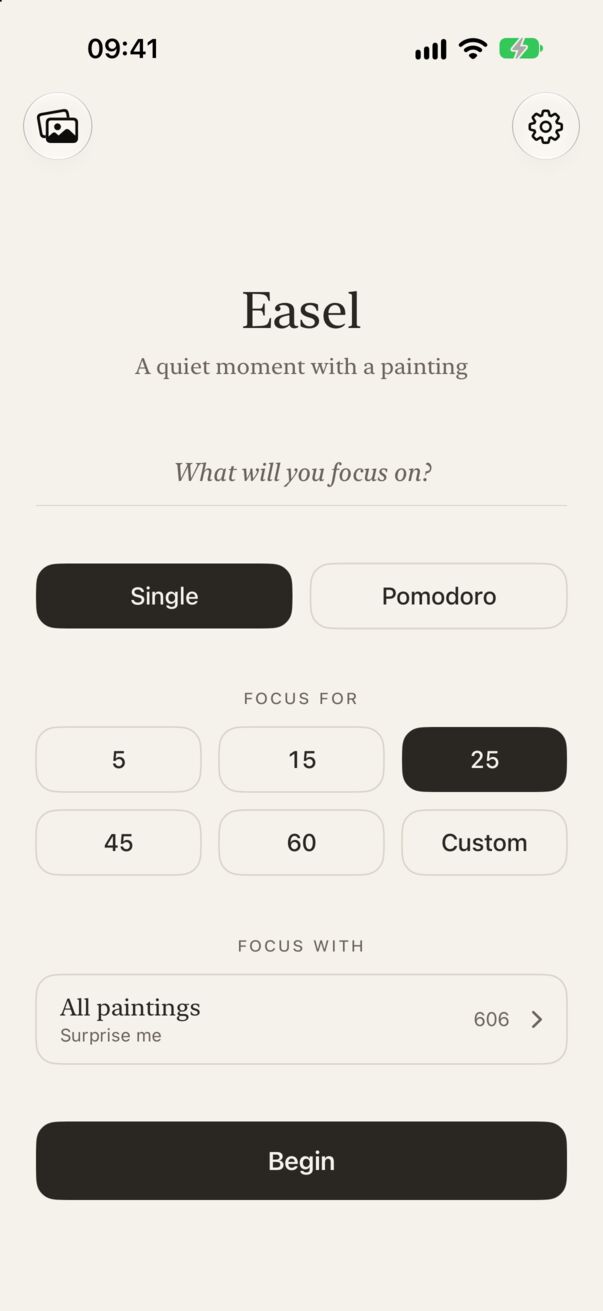
Everything starts on one quiet screen. From top to bottom:
- Gallery (top left): the paintings you’ve uncovered.
- Settings (top right): appearance, sounds, reminders, widgets’ daily goal and more.
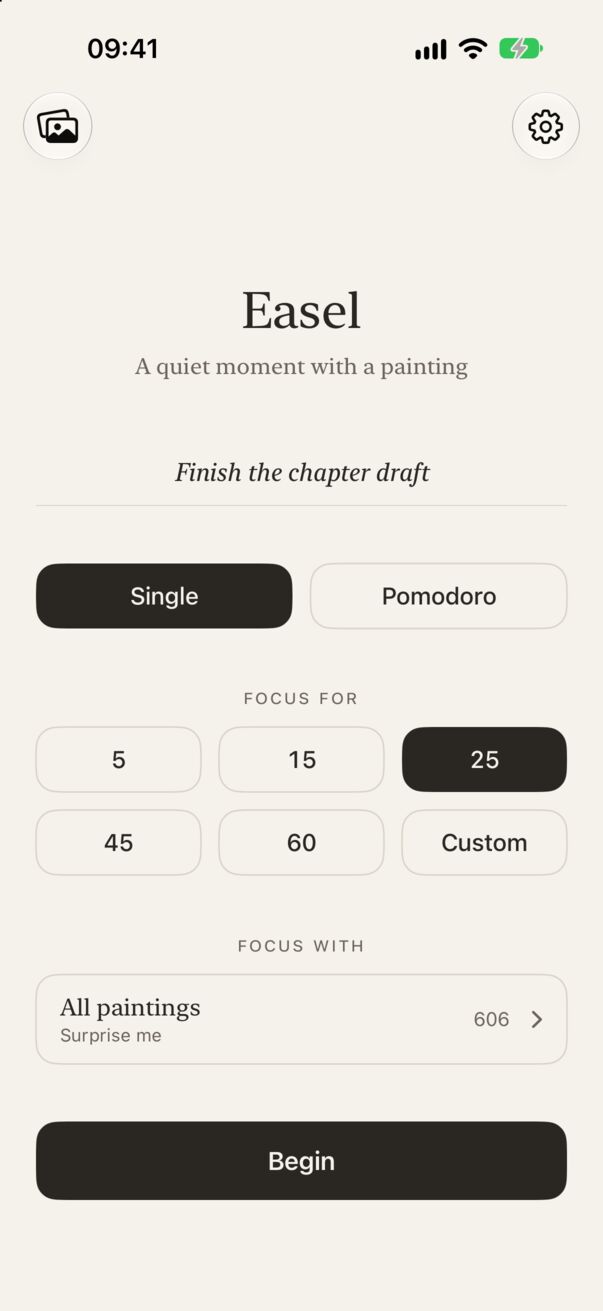
- What will you focus on? An optional line for what you’re working on.
- Single or Pomodoro: one session, or four focus blocks with short breaks.
- Focus for: 5, 15, 25, 45 or 60 minutes, or Custom for anything from 5 to 120.
- Focus with: which paintings to draw from. All paintings surprises you.
- Begin.
Your first session
- Choose a length. 25 minutes is a good start. Tap Custom to pick any length from 5 to 120 minutes on a wheel.
- Say what it’s for (optional). Type it in the line at the top, or leave it empty and Easel will ask you “What will you focus on?” when you tap Begin. See the focus question.
- Tap Begin. Easel picks a painting and loads it completely before the session starts, so the reveal never waits on your connection.
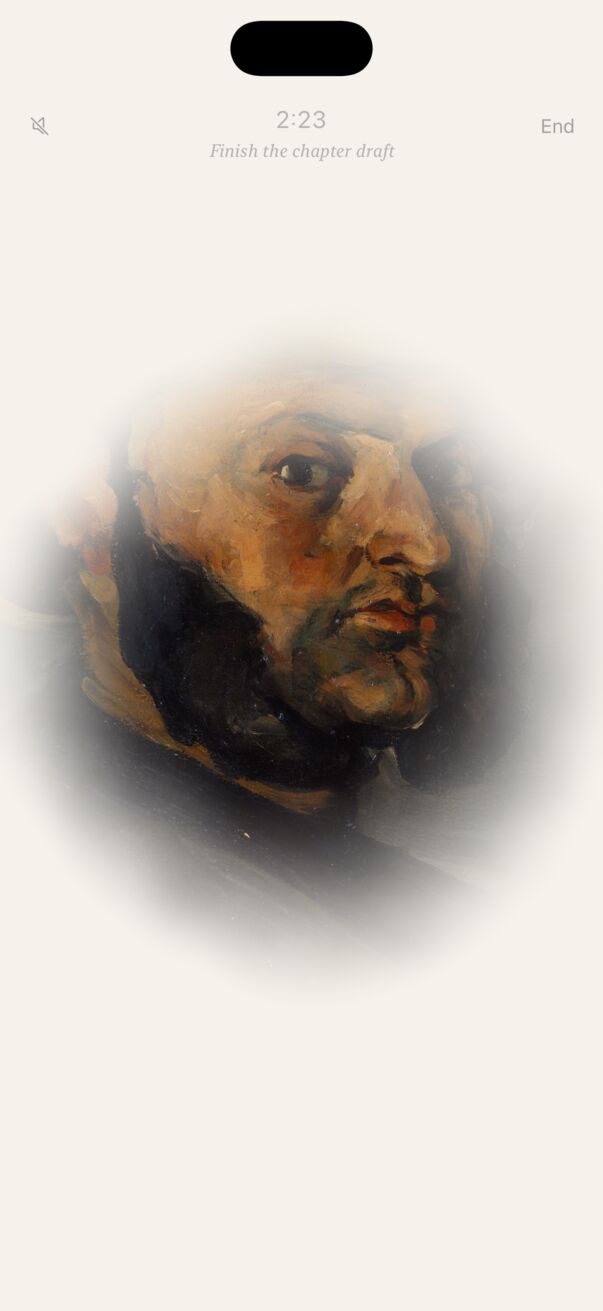
- Work. The painting clears from the centre outward as the minutes pass. The timer sits quietly at the top; you don’t need to watch it.
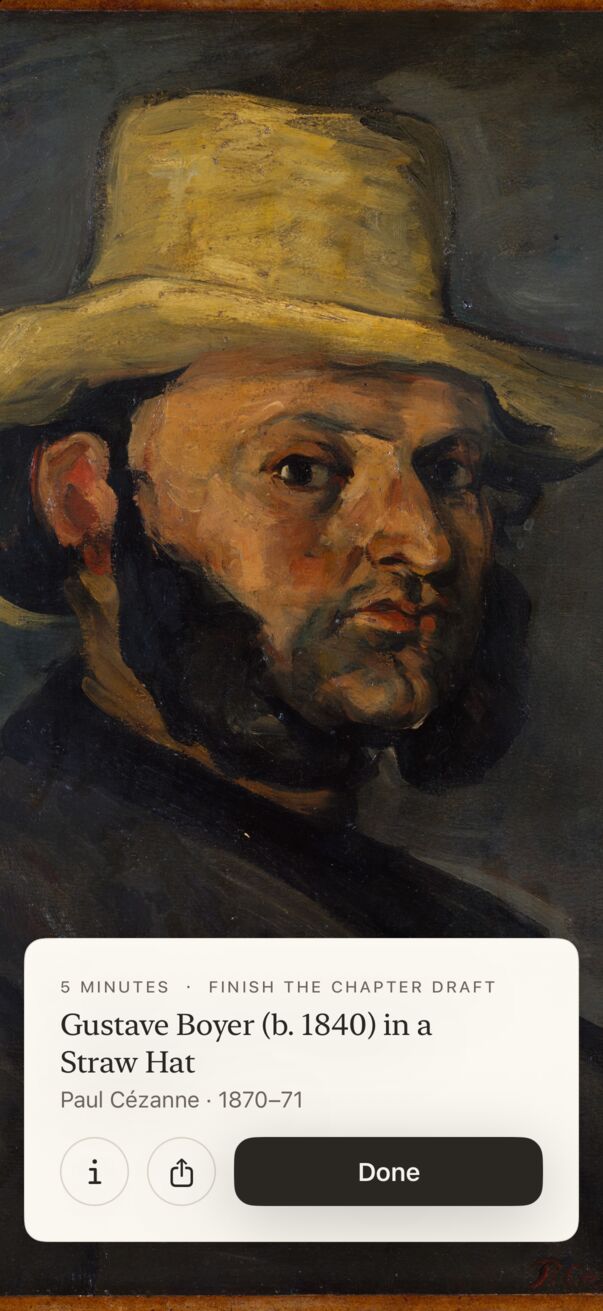
- At 0:00 the painting is fully revealed. A cream museum placard rises at the bottom with how long you focused, what for, the title, artist and date. Tap Done and it hangs in your gallery.
Where to go next
- Focus sessions and the fog reveal: locking your phone, ending early, sounds.
- Pomodoro: four blocks with breaks, a new painting each time.
- Your gallery: every painting you’ve earned, with its museum label.
Lost in the app?
Every screen in Easel has a way back: the ‹ back button at the top left, the ⌄ chevron on Statistics, or a swipe down on sheets. You always return to the home screen. More in Troubleshooting.