
Type it in
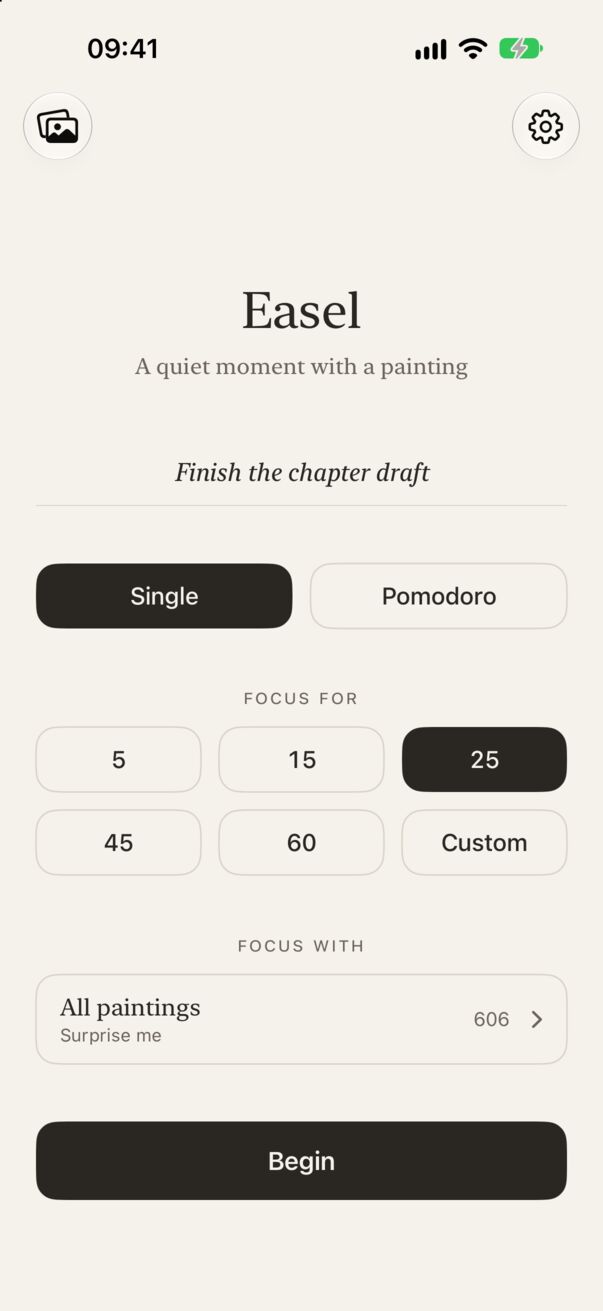
On the home screen, tap What will you focus on? and type a short line, like “Finish the chapter draft”. Press Go on the keyboard to begin straight away. Intentions can be up to 60 characters, and the line stays filled in for your next session, ready for the next block of the same task.
Or let Easel ask
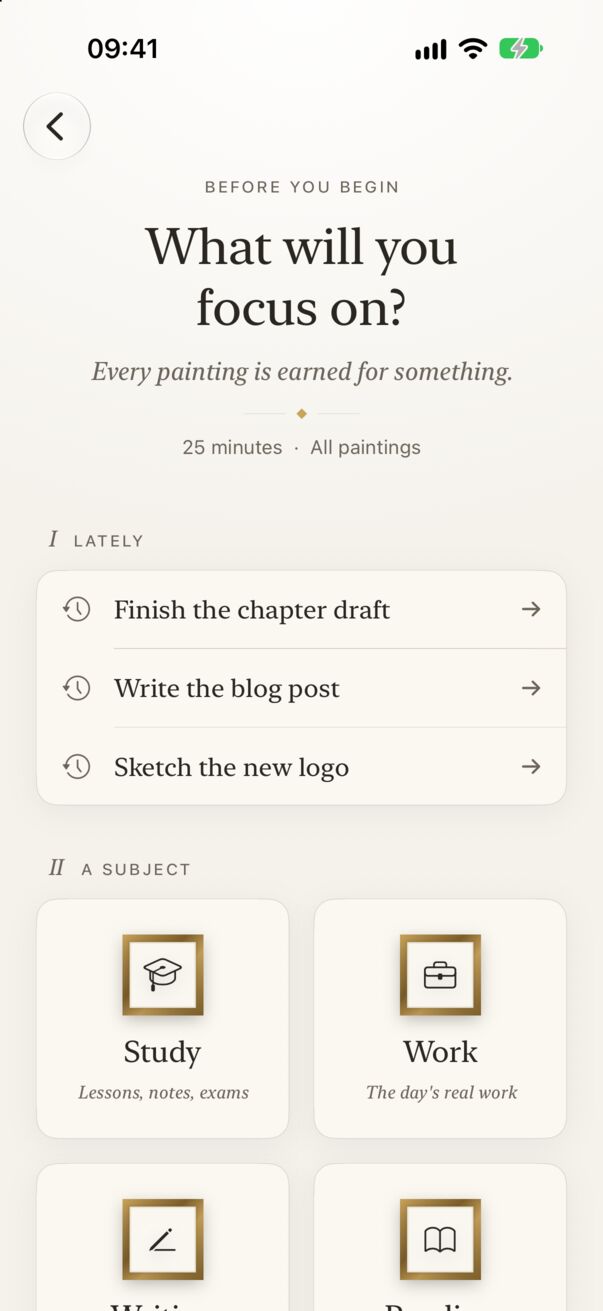
If the line is empty when you tap Begin, Easel opens a full-screen question: What will you focus on? Under it you’ll see the session about to start (for example 25 minutes · All paintings), then two rooms:
- Lately: your three most recent intentions, one tap to reuse.
- A subject: Study, Work, Writing, Reading, Creating, Planning, Practice or Thinking.
Choosing one begins the session. To go back without starting, tap ‹ at the top left.
Where your intention appears
- Faintly under the timer during the session.
- On the Live Activity, on your Lock Screen and in the Dynamic Island.
- In your gallery, as “For: …” on the painting’s page.
- On the share card, if you share that painting.
Private
Your intentions are stored only on your device. Easel never sends the text anywhere. See the privacy policy.