How the reveal works
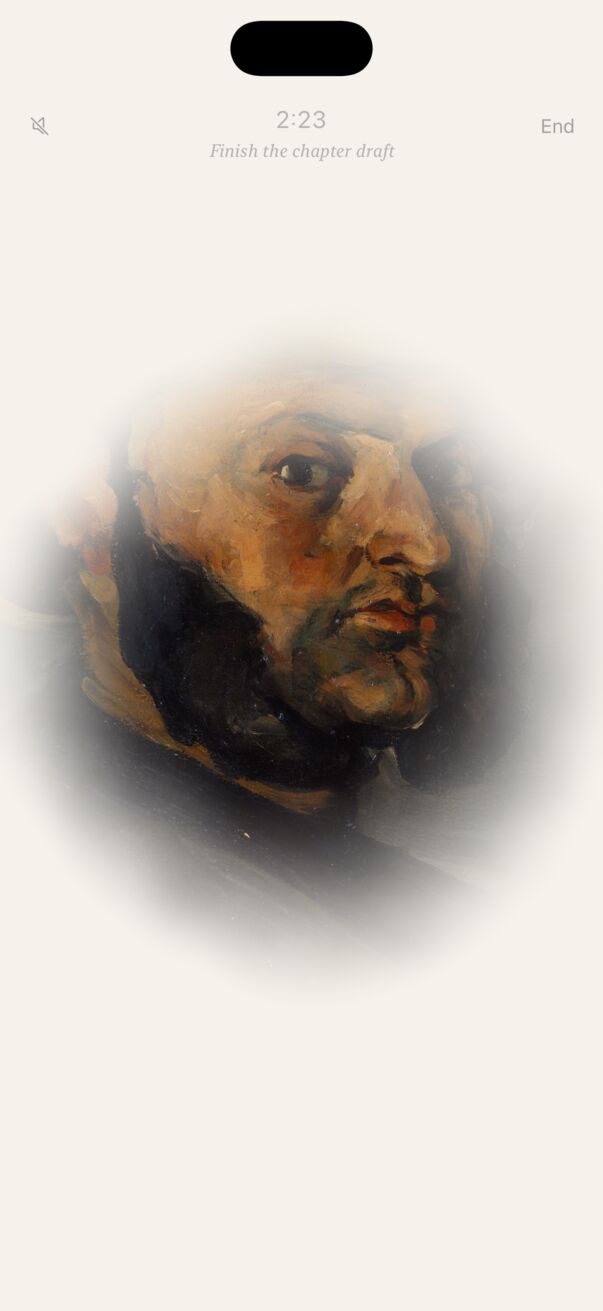
Each session hangs a painting behind a soft, drifting fog. As time passes, it clears from the centre outward. The pace is gentle at first and opens up towards the end, so the last minutes feel like an arrival. At 0:00 the painting is completely clear, corners included.
Above the painting you’ll see the remaining time and, if you set one, your intention. Both are faint on purpose: Easel wants you looking at your work, not the clock.
Leaving the app or locking your phone
Go ahead. The timer is anchored to the moment your session will end, not to ticks while the app is open, so it keeps true time while Easel is in the background or your phone is locked. Come back and the painting is exactly as far along as it should be.
- While Easel is open on a session, it keeps the screen from dimming so you can watch the reveal.
- On the Lock Screen and in the Dynamic Island, a Live Activity shows the countdown. See Widgets and Live Activities.
- If the session finishes while you’re away, the painting is waiting for you when you return.
Ending a session early
Tap End at the top right, then confirm. The painting won’t finish, so it isn’t added to your gallery, and the session doesn’t count towards your statistics or streak. In Pomodoro, ending early ends the whole set.
Sound, music and haptics
- The speaker button (top left during a session) mutes or unmutes sound for the session.
- Ambient music: quiet piano while a painting reveals. Turn it on in Settings → During a session.
- Sound effects: the chime when a painting completes.
- Haptic feedback: gentle taps on buttons and at the start and end of a session.
When the painting is revealed
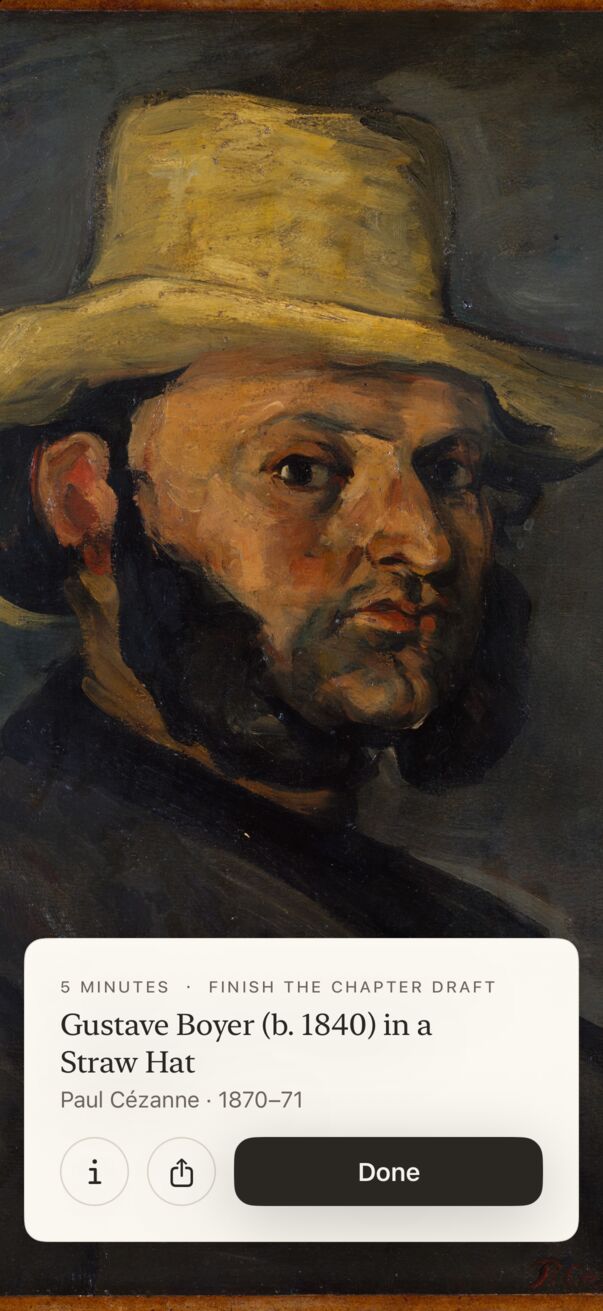
At 0:00 the whole painting is clear, and a museum placard rises at the bottom of the screen: the session’s length and your intention, then the painting’s title, artist and date. On the placard you can:
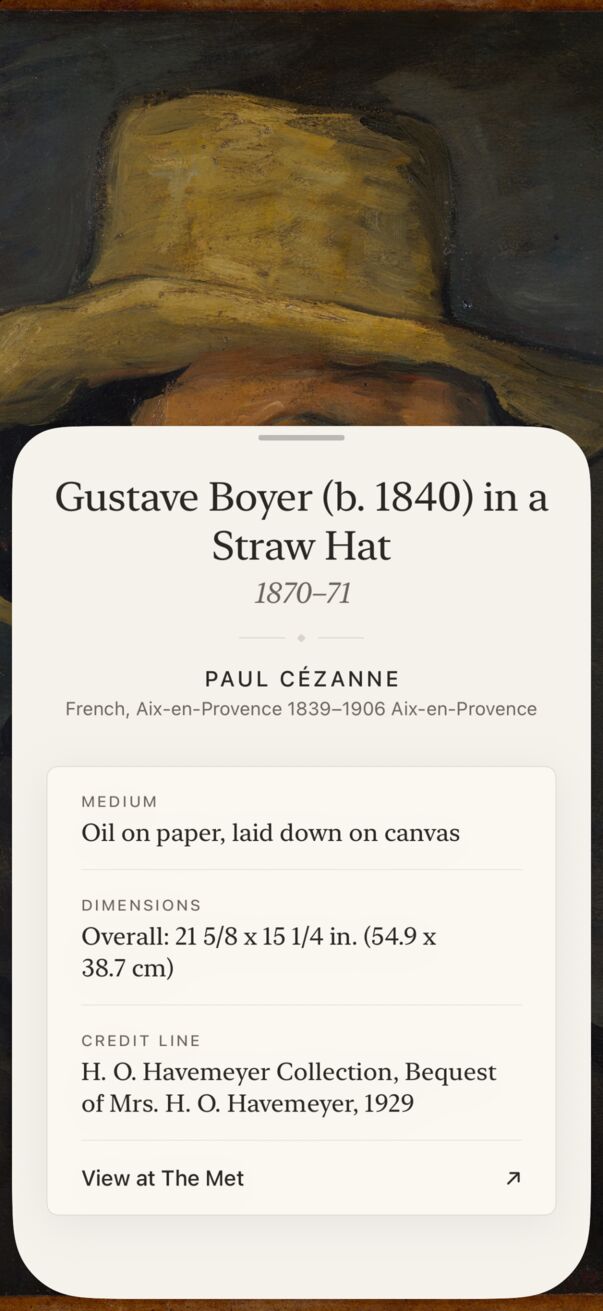
- Tap ⓘ for the full museum label: medium, dimensions, credit line and a link to view the work at The Met. The label opens to exactly its own height; swipe down to close it.
- Tap Share to make a framed card for Stories or posts (see Sharing).
- Tap Done to hang it in your gallery and return to the home screen.
Every few milestones (10, 25, 50, 100 paintings and beyond) Done opens a small celebration first.